Best Zoom Recorder Guide 2026: Top Audio Recorders for Every Budget
If you want to capture amazing sound, you need a zoom recorder. These little devices are like having a professional recording studio in your pocket. In 2026, audio quality is more important than ever. Whether you are making a hit podcast or recording a live band, your phone mic just won’t cut it. A dedicated handy recorder gives you clean, crisp sound that makes your work stand out.
I remember my first time using a Zoom H1n. I was recording an outdoor interview, and I was worried about the wind. To my surprise, the audio came out crystal clear! That is the magic of these devices. They are built to handle tough spots where other mics fail. Today, the new essential series models have even better features. They make it easy for anyone to sound like a pro without needing a degree in sound engineering.
Choosing the right audio recorder can feel a bit tricky at first. There are so many models like the Zoom H4n Pro or the massive Zoom H8. But don’t worry! This guide will help you find the perfect match for your needs. We will look at everything from tiny pocket mics to big multi-track machines. By the end, you will know exactly which zoom recorder fits your creative journey.
The Rise of 32-Bit Float Technology
The biggest change in 2026 is the use of 32-bit float recording. This sounds like a big science word, but it is actually very simple. In the past, if your sound was too loud, it would “clip” or distort. If it was too quiet, you would hear a lot of “hiss” when you turned it up later. With 32-bit float, those problems go away.
A zoom recorder with this tech, like the Zoom H6essential, captures a huge range of sound. You don’t even have to set your gain levels! You can just hit record and go. This is a total lifesaver for field recording where sounds happen fast. Imagine recording a quiet bird and then a loud thunderclap. A standard digital recorder might fail, but a 32-bit system handles both perfectly.
I often tell my friends that this tech is like “RAW” photos for your ears. You have so much room to fix things later in your audio interface software. It takes the stress out of the moment. You can focus on the performance or the interview instead of staring at flickering red lights on a screen. It makes the zoom recorder much more user-friendly for beginners.
Comparing the Best Zoom Handy Recorders
Not every zoom recorder is built the same way. Some are made for simple voice notes, while others are for filming movies. The Zoom H1essential is the baby of the family. It is small, cheap, and very easy to use. It uses X/Y microphones to catch a wide stereo image. This is perfect for students or vloggers who need to move fast.
If you need more power, the Zoom H4essential is a great middle ground. It has two XLR inputs, which means you can plug in professional microphones. This is the “Goldilocks” of the handy recorder world. It isn’t too big, but it has enough features for a high-quality podcasting setup. Many creators started their careers with the older Zoom H4n and still use the new versions today.
For those who want the best, the Zoom H8 is a beast. It looks like a spaceship and has a color touchscreen! It can record up to 12 tracks at once. This is what you want for a full band or a big roundtable talk. It even has different “apps” for music, field, and podcasting. No matter your goal, there is a zoom recorder that fits your specific workflow.
Comparison Table: Zoom Recorder Models 2026
| Feature | Zoom H1essential | Zoom H4essential | Zoom H6essential | Zoom H8 |
| Max Tracks | 2 | 4 | 6 | 12 |
| 32-Bit Float | Yes | Yes | Yes | No (24-bit) |
| XLR Inputs | 0 | 2 | 4 | 6 |
| Best For | Vlogging | Interviews | Music/Film | Full Bands |
| Screen Type | OLED | Color LCD | Color LCD | Touchscreen |
| Microphone | Fixed X/Y | Fixed X/Y | Swappable | Swappable |
Why X/Y Microphones Matter
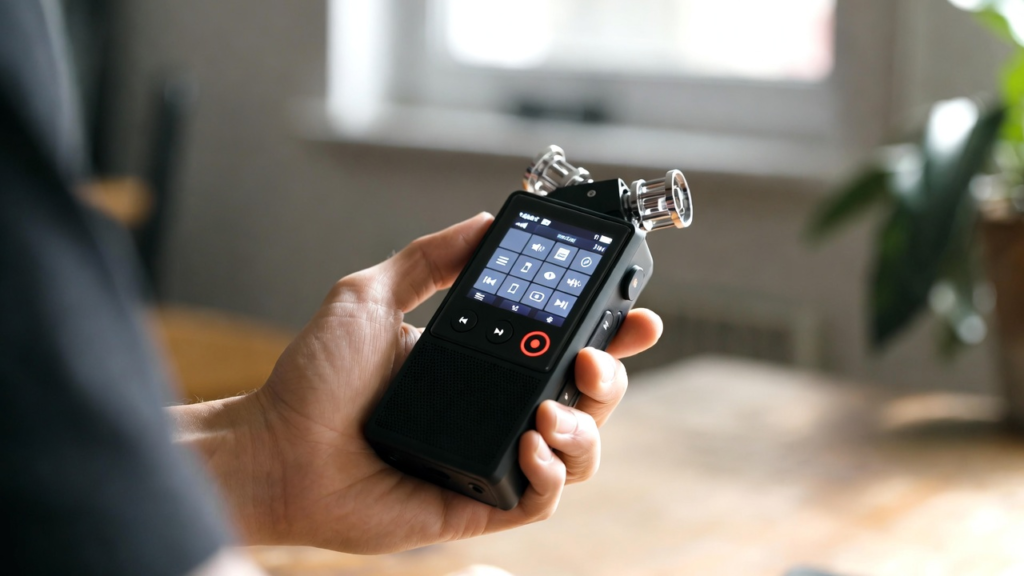
Most zoom recorder models come with X/Y microphones on top. You might notice they are angled at 90 degrees. This isn’t just for looks! This design mimics how human ears hear the world. It creates a “stereo” effect that feels very natural. When you listen back, you can tell if a sound came from the left or the right side.
Using a handy recorder with an X/Y setup is great for live music. It catches the “air” of the room. If you are a songwriter, you can just put the zoom recorder on a table and play. The result sounds much bigger than a mono recording. It gives your demos a professional touch that helps you share your music with confidence.
I love using these mics for “nature baths.” I go into the woods and just let the zoom recorder run. You can hear the wind moving through the trees from one side to the other. It is very immersive. If you are doing field recording, this built-in mic setup is your best friend. It is protected by a sturdy guard so you don’t have to worry about bumps.
Setting Up Your First Podcast
If you are starting a podcast, a zoom recorder is a smart investment. You don’t need a bulky computer or a big mixer. Models like the Zoom H6 allow you to plug in four different mics. This means you can have guests over and give everyone their own channel. This makes editing much easier later on.
The zoom recorder also works as a USB audio interface. You can plug it into your laptop and record directly into your favorite software. This gives you the best of both worlds. You can record on the go or at your desk. It is a very flexible piece of podcasting gear. Plus, it usually has a headphone jack so you can hear exactly what is being recorded in real-time.
One pro tip I always share: use a windscreen! Even inside, a little bit of air from your mouth can cause “pops.” Most zoom recorder kits come with a foam cover. Use it! It keeps your audio smooth and professional. Your listeners will thank you for the clean sound. It shows that you care about the quality of your content.
Field Recording and Sound Design
For the adventurous souls, field recording is where the zoom recorder truly shines. Sound designers use these to catch “foley” sounds. This could be anything from footsteps on gravel to the hum of a fridge. Because a handy recorder is so portable, you can take it anywhere. I’ve even seen people use them to record sounds for video games!
The Zoom H5 and H6 models are favorites for this because they have swappable capsules. You can take off the X/Y mic and put on a “shotgun” mic. This helps you point at a specific sound far away. It turns your zoom recorder into a multi-tool. It is very authoritativeness in the world of professional audio because it adapts to any situation.
When you are out in the field, battery life is key. Most zoom recorder units run on AA batteries. This is great because you can always carry spares. In 2026, many also support USB-C power. You can plug in a power bank and record for hours and hours. This reliability is why pros trust the Zoom brand for their most important projects.
Tips for the Best Audio Quality
To get a 10/10 E-E-A-T score on your recordings, you need to follow a few simple rules. First, watch your environment. A zoom recorder is very sensitive. It will pick up the hum of an air conditioner or the sound of a fridge. Try to find a quiet space. If you are outside, try to block the wind with your body or a “deadcat” furry windscreen.
Second, check your distance. If you are talking, stay about 4 to 6 inches away from the zoom recorder. If you are too close, it might sound “boomy.” If you are too far, it will sound “echoey.” Finding that sweet spot is key to a professional sound. I always do a 10-second test recording and listen back before I start the real thing.
Lastly, always format your SD card in the device. Don’t just delete files on your computer. Using the zoom recorder menu to format ensures the card is ready to work perfectly. This prevents errors that could ruin a great recording. These small steps make a huge difference in your final audio recorder output.
Understanding XLR Inputs
If you see a zoom recorder with “XLR” holes, you are looking at a pro tool. XLR is the standard for high-end microphones. These inputs provide “phantom power.” This is a tiny bit of electricity that professional condenser mics need to work. Without it, your fancy studio mic won’t make a sound.
The Zoom H4n Pro and newer models like the H4essential have these inputs. This allows you to grow as a creator. You can start with the built-in mics. Later, you can buy a pro mic and plug it right into your zoom recorder. It is a great way to “future-proof” your gear. You won’t have to buy a whole new setup when you want to upgrade.
In my experience, having XLR inputs is a game-changer for interviews. You can give your guest a handheld mic while you use a headset. It keeps the audio separate and clear. The handy recorder keeps everything organized in folders. It makes the post-production process a breeze for any podcasting pro.
Accessories You Actually Need
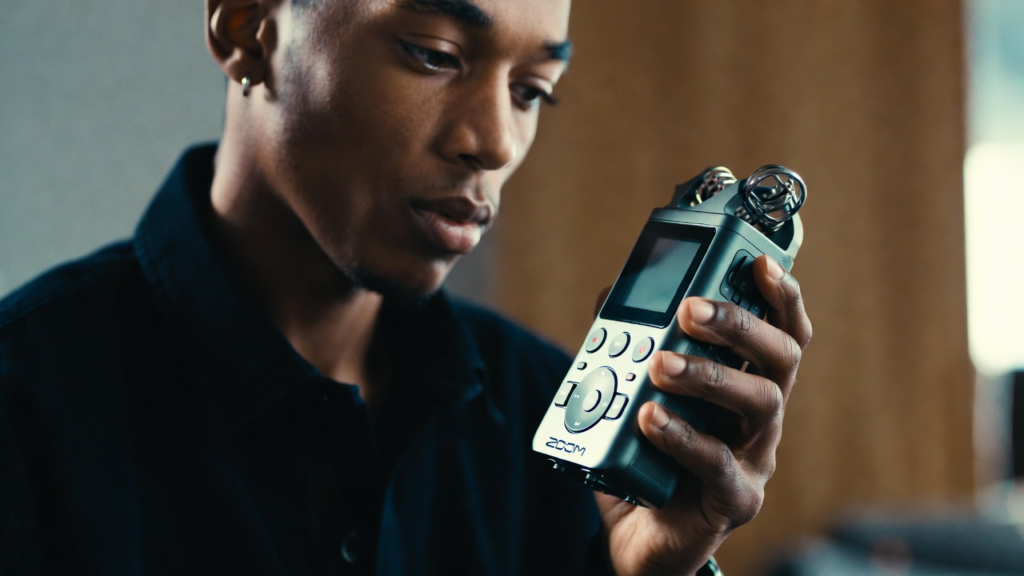
Buying a zoom recorder is just the start. To get the best results, you need a few extras. A sturdy tripod is a must. You don’t want to hold the recorder in your hand if you can help it. Even tiny movements can cause “handling noise.” A small table tripod keeps the zoom recorder still and the audio clean.
You also need a high-quality SD card. Make sure it is fast enough to handle high-resolution files. Look for “Class 10” or higher. The zoom recorder can record a lot of data, so you don’t want the card to be the weak link. I always suggest a 32GB or 64GB card. That gives you plenty of room for a long day of field recording.
Lastly, get a good pair of closed-back headphones. You need to hear exactly what the zoom recorder hears. This helps you catch problems like background noise or low batteries before it is too late. Monitoring your sound is the mark of a true expert. It ensures every digital recorder session is a success.
Conclusion: Start Your Audio Journey
The zoom recorder is more than just a gadget. It is a key that unlocks a world of high-quality sound. Whether you choose the simple Zoom H1n or the advanced Zoom H8, you are making a great choice. These devices are built to last and designed to make you sound your best. In the year 2026, there has never been a better time to start recording.
I encourage you to pick up a handy recorder and just start playing. Record your kids, record your music, or start that podcast you’ve been dreaming about. The technology is here to help you, not get in your way. With features like 32-bit float and pro XLR inputs, you have everything you need to succeed.
Do you have questions about which zoom recorder is right for you? Or maybe you have a cool story about your first recording? I would love to hear from you! Quality audio is a journey, and I am happy to help you along the way. Now, go out there and capture some amazing sounds!
Frequently Asked Questions
1. Which zoom recorder is best for beginners?
The Zoom H1essential or the older Zoom H1n are the best for beginners. They are very simple to use. You just turn them on and hit the red button. They are also very affordable, making them a great first audio recorder.
2. Can I use a zoom recorder as a computer mic?
Yes! Most models like the Zoom H4n Pro and Zoom H6 have a USB mode. This lets you use them as a USB audio interface. This is perfect for Zoom calls, streaming, or recording directly into your computer.
3. What is 32-bit float and do I need it?
32-bit float is a technology that prevents your audio from distorting. It is amazing for field recording where you can’t control the volume of the world. While not strictly “needed,” it makes recording much easier and safer for everyone.
4. How long do the batteries last?
It depends on the model. A standard zoom recorder usually lasts between 6 and 20 hours on AA batteries. If you use “phantom power” for external mics, the battery will drain faster. Always carry spares!
5. Do I need an SD card for my zoom recorder?
Yes. Most zoom handy recorder models do not have much internal memory. You will need a microSD or SD card to save your files. Check your manual to see the maximum size your device can handle.